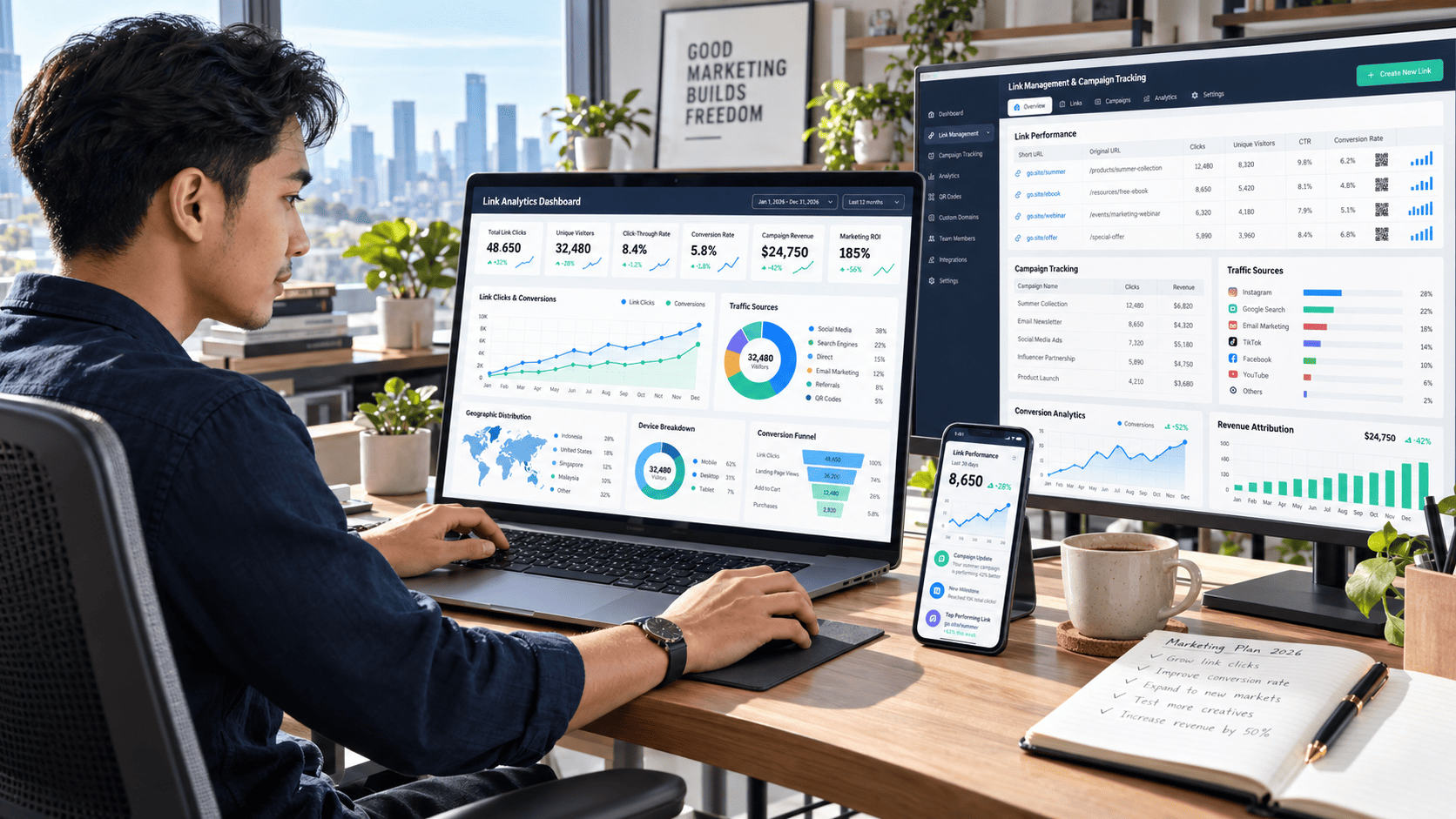

Every click tells a story. Someone discovers your content, taps a link, visits a landing page, explores an offer, and hopefully takes the next step. The problem is that many marketers, bloggers, content creators, and online businesses only see the final numbers without understanding what actually happened along the way.
That is where link management and analytics become incredibly valuable.
Instead of guessing which campaign works, you can identify exactly where visitors come from, which links attract attention, what devices they use, and which campaigns generate meaningful conversions. With the right strategy, even a simple link can become a powerful source of marketing intelligence.
Here are 17 practical strategies that can help you track every click, understand audience behavior, and improve your conversion performance.
1. Centralize Your Link Management
Managing dozens or hundreds of links manually quickly becomes messy. Campaign links may appear across blog posts, social media, newsletters, advertisements, and landing pages.
A centralized link management system gives you one place to organize, monitor, edit, and analyze those links.
Instead of searching through old campaigns whenever something changes, you can update destinations or review performance from one dashboard.
This becomes especially useful for content creators and marketers running multiple campaigns at the same time.
2. Use Clear Naming Conventions
Analytics becomes confusing when every tracking link has a random name.
Create a consistent structure for naming campaigns.
For example:
- social-instagram-product-launch
- email-weekly-newsletter
- blog-affiliate-software
- campaign-summer-promotion
Clear naming makes it much easier to compare campaigns later.
A simple naming system can save hours when your analytics database begins growing.
3. Track Clicks by Traffic Source
Knowing that a link received 5,000 clicks is useful, but knowing where those clicks came from is far more valuable.
Separate your traffic sources whenever possible.
You might discover that:
- social media generates the most clicks,
- email delivers the highest conversion rate,
- organic search visitors stay longer,
- referral traffic produces better customers.
These insights allow you to invest more effort into channels that actually produce results.
4. Use UTM Parameters for Campaign Tracking
UTM parameters remain one of the easiest ways to improve marketing attribution.
They allow analytics platforms to identify important campaign information such as:
- traffic source,
- marketing medium,
- campaign name,
- content variation,
- keyword or promotion.
For example, two links may point to the same landing page while representing completely different campaigns.
Without proper tracking, both visits may appear identical.
With UTM parameters, you can clearly compare their performance.
5. Monitor Unique Clicks, Not Just Total Clicks
Total clicks can sometimes create misleading impressions.
Imagine one person clicking the same link ten times. Your dashboard may show ten clicks even though only one visitor actually engaged.
That is why unique clicks matter.
Comparing total clicks with unique clicks helps reveal whether your campaign is attracting a large audience or simply generating repeated interactions from existing users.
6. Analyze Click-Through Rate
Click-through rate, or CTR, helps measure how effectively your content encourages people to take action.
A campaign may receive thousands of impressions but very few clicks.
That usually indicates a problem with elements such as:
- headline,
- call-to-action,
- visual presentation,
- audience targeting,
- offer relevance.
Instead of focusing only on traffic volume, evaluate how efficiently each campaign turns visibility into action.
7. Measure Conversions After the Click
Clicks are only the beginning.
The real question is what visitors do afterward.
Depending on your goals, conversions might include:
- purchasing a product,
- joining an email list,
- downloading a resource,
- creating an account,
- requesting a quote,
- completing a contact form.
Connecting link analytics with conversion tracking helps you identify campaigns that generate actual business outcomes instead of vanity metrics.
8. Understand the Customer Journey
Most visitors do not convert after seeing a single link.
Someone might discover your brand through social media, read a blog post, join your newsletter, return through email, and finally make a purchase several days later.
That journey contains multiple touchpoints.
Understanding these interactions gives you a clearer picture of how content and campaigns work together.
Instead of asking, “Which link made the sale?” a better question is, “Which links helped move this visitor toward the sale?”
9. Analyze Device Performance
Mobile and desktop visitors often behave differently.
A campaign that performs beautifully on a laptop may produce weak results on smartphones.
Link analytics can reveal how visitors interact across:
- smartphones,
- tablets,
- desktops,
- different operating systems,
- different browsers.
If most clicks come from mobile devices, your landing pages should prioritize fast loading speeds, responsive layouts, and simple navigation.
Even small mobile usability improvements can significantly affect conversion rates.
10. Study Geographic Click Data
Geographic analytics can reveal where your most valuable audiences are located.
Imagine receiving large traffic volumes from several countries but discovering that most conversions come from only two regions.
That information can influence:
- advertising budgets,
- language choices,
- pricing,
- content topics,
- campaign schedules,
- local offers.
Geographic data turns broad traffic numbers into actionable audience insights.
11. Track Campaign Performance Over Time
A campaign that performs well today may decline next month.
Audience interest changes. Competitors appear. Content becomes outdated.
Track link performance over time instead of looking at a single snapshot.
Watch for patterns such as:
- sudden traffic spikes,
- gradual declines,
- seasonal increases,
- conversion changes,
- unusual click activity.
Historical data helps you identify what is normal and what deserves attention.
12. Compare Multiple Campaign Channels
One of the biggest advantages of good link management is the ability to compare channels fairly.
For example, suppose you promote the same landing page through email, social media, blog content, and paid advertising.
You may find that social media generates the highest traffic while email delivers fewer visitors but significantly more conversions.
Without proper link tracking, you might incorrectly assume the highest-traffic channel is the most successful.
Analytics helps reveal the difference between attention and results.
13. Use A/B Testing for Important Links
Small changes can create surprisingly large performance differences.
Test variations of:
- call-to-action wording,
- button placement,
- landing page design,
- headlines,
- promotional messages,
- campaign creatives.
Send part of your audience to version A and another group to version B.
Then compare clicks and conversions.
Over time, these experiments can reveal what motivates your audience more effectively than assumptions ever could.
14. Build Better Audience Segments
Not every visitor should be treated the same.
Your analytics may reveal different audience groups based on:
- location,
- device,
- traffic source,
- behavior,
- campaign interaction,
- returning versus new visitors.
Segmentation allows you to create more relevant experiences.
For example, returning visitors might receive a different offer from people discovering your website for the first time.
More relevant experiences often lead to stronger engagement.
15. Detect Unusual Click Activity
Analytics is not only useful for marketing optimization. It can also help identify suspicious patterns.
Watch for sudden changes such as:
- thousands of clicks within minutes,
- unusually high activity from one source,
- abnormal geographic patterns,
- repeated clicks with little engagement,
- traffic spikes without corresponding conversions.
Not every traffic spike is automatically a problem, but unusual activity should be investigated.
Reliable data depends on understanding what is generating the traffic.
16. Create Simple Performance Dashboards
Data becomes useful when people can understand it quickly.
Instead of monitoring dozens of metrics every day, build a simple dashboard around the numbers connected to your goals.
For many campaigns, useful metrics include:
Traffic Metrics
Track total clicks, unique clicks, traffic sources, and geographic distribution.
Engagement Metrics
Monitor click-through rates, returning visitors, session behavior, and landing-page engagement.
Conversion Metrics
Measure leads, purchases, sign-ups, conversion rates, and revenue attribution.
A focused dashboard makes decision-making faster because important information is immediately visible.
17. Turn Analytics Into Action
The biggest link management mistake is collecting massive amounts of data without doing anything with it.
Analytics should lead to decisions.
If one traffic source consistently produces high-quality visitors, increase your attention there.
If a landing page receives many clicks but almost no conversions, investigate the page.
If mobile visitors abandon the site quickly, improve mobile usability.
If a campaign suddenly performs better than usual, identify what changed and try to replicate it.
The goal is not simply to know what happened.
The goal is to know what to do next.
How to Build a Simple Link Analytics Workflow
You do not need an extremely complicated analytics system to get started.
A practical workflow can look like this:
- Create separate tracking links for each important campaign.
- Apply consistent campaign naming and UTM parameters.
- Track total and unique clicks.
- Identify traffic sources, locations, and devices.
- Connect clicks with conversion events.
- Compare campaign performance regularly.
- Test new variations when performance stalls.
- Document what works and repeat successful patterns.
This creates a continuous improvement cycle.
You launch a campaign, collect data, learn from visitor behavior, optimize the experience, and measure the results again.
Common Link Management Mistakes to Avoid
Even strong marketing campaigns can suffer when tracking is poorly organized.
One common mistake is using the same untracked link everywhere. When that happens, it becomes difficult to determine which platform generated the traffic.
Another mistake is focusing entirely on clicks. A campaign receiving 20,000 clicks but producing ten conversions may be less valuable than another campaign receiving 2,000 clicks and generating 100 conversions.
Poor naming conventions can also become a serious problem. Once dozens of campaigns are active, unclear tracking names make historical analysis unnecessarily difficult.
Finally, avoid collecting metrics simply because they are available. Focus on data connected to your actual marketing objectives.
Frequently Asked Questions
What is link management?
Link management is the process of organizing, tracking, maintaining, and analyzing links used across websites, social media, advertisements, email campaigns, and other digital channels.
Why is link analytics important?
Link analytics shows how people interact with your links. It can reveal traffic sources, click behavior, devices, locations, campaign performance, and conversions.
What is the difference between clicks and unique clicks?
Total clicks count every interaction with a link, including repeated clicks. Unique clicks estimate how many individual visitors interacted with that link.
Can link analytics improve conversion rates?
Yes. Analytics helps identify which campaigns, audiences, traffic sources, and landing pages perform best. Those insights can guide optimization decisions that improve conversions.
How often should link performance be reviewed?
Important campaigns can be monitored frequently, while long-term content can be reviewed weekly or monthly. The best schedule depends on traffic volume and campaign duration.
Conclusion
Effective link management and analytics can transform ordinary links into valuable sources of audience intelligence.
By tracking traffic sources, unique clicks, CTR, devices, locations, customer journeys, and conversions, you gain a much clearer understanding of what your audience actually responds to.
The most important step, however, is using those insights.
Organize your links, track campaigns consistently, compare performance, test new ideas, and optimize based on real visitor behavior rather than assumptions.
Start by auditing your most important links today. Identify where your traffic comes from, discover which campaigns drive meaningful actions, and use those insights to build smarter marketing campaigns with stronger conversions.